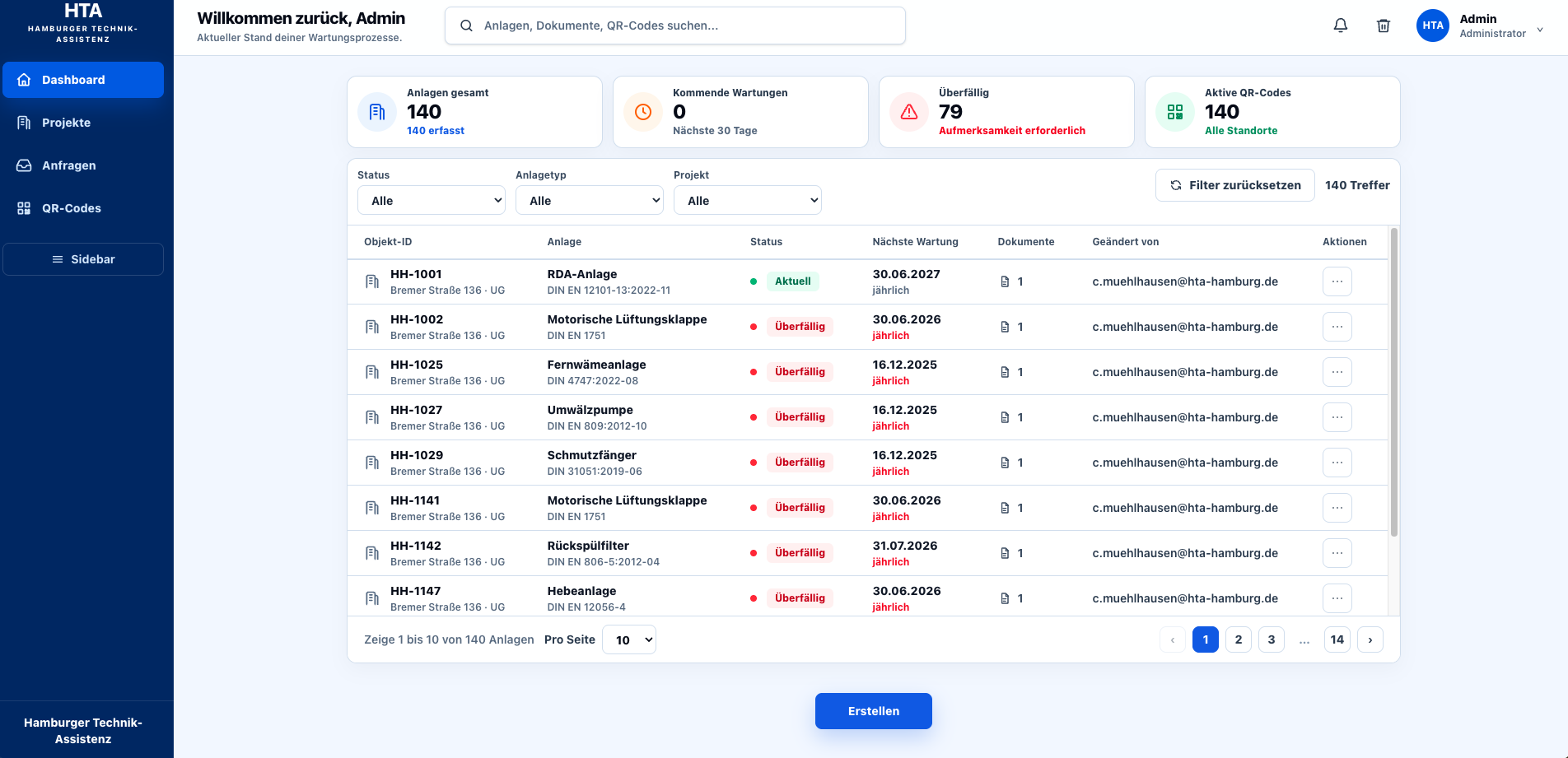
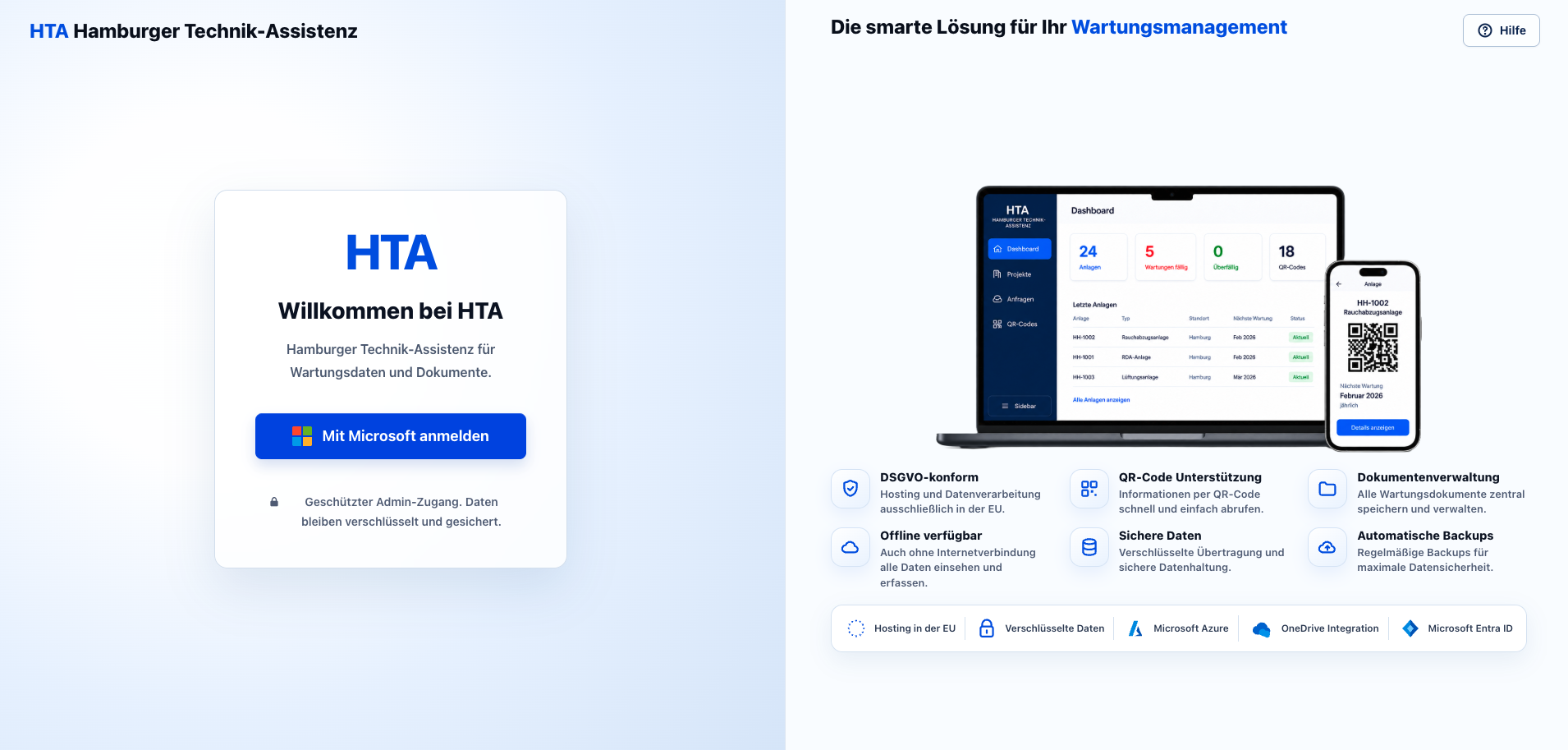
Dashboard with all systems
Total systems, upcoming services, overdue items and active QR codes at a glance. Filter by status, system type and project.
One QR code on the equipment, one PIN, and every released report, deadline and document is right there
In the plant room the same questions come up every time. The maintenance system answers them with one scan.
One scan, all the answers
Four steps from the sign on the equipment to the confirmed service.
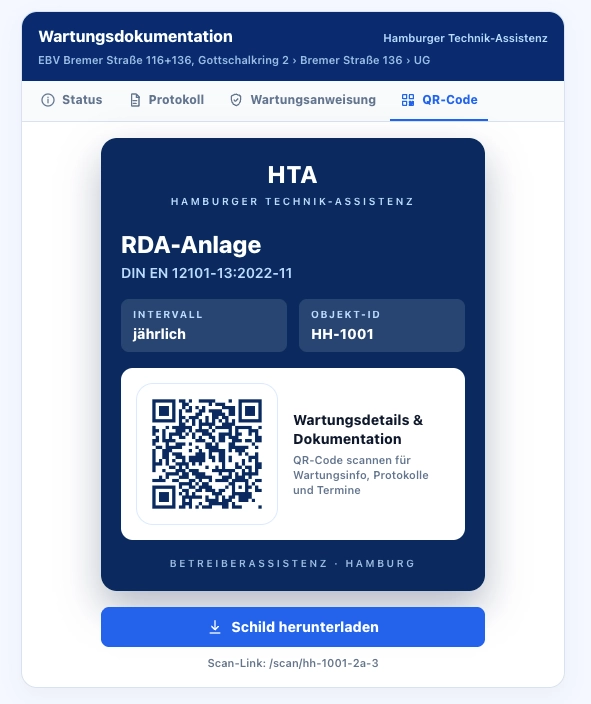
Every system gets a permanent QR sign with object ID, standard and interval. The code stays the same even when data or documents change.
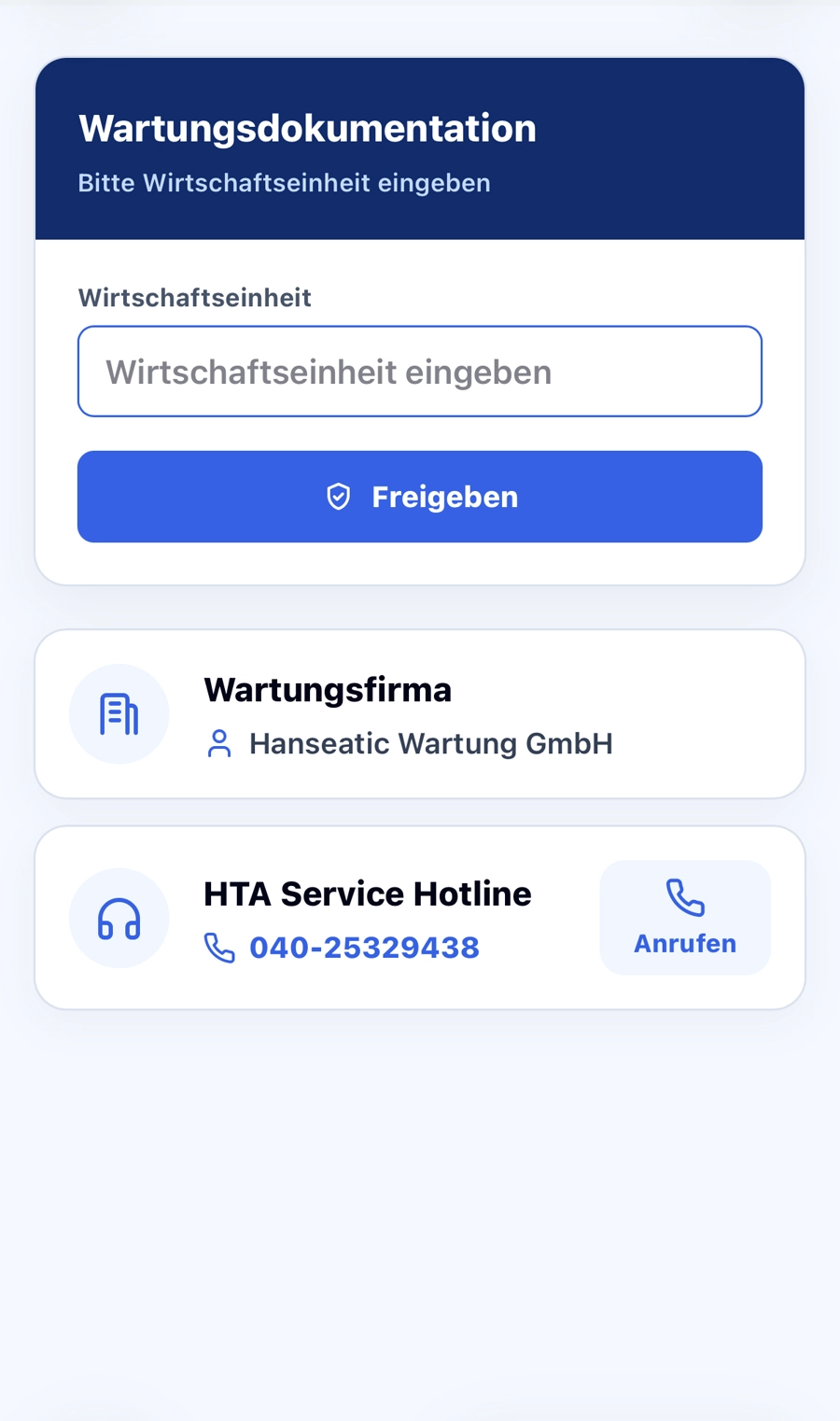
The scan opens the page of exactly this system. Only with the economic unit or PIN do the released documents become visible.
Last service, next deadline, responsible contractor, standard and the current report. Everything at a glance, nothing outdated.
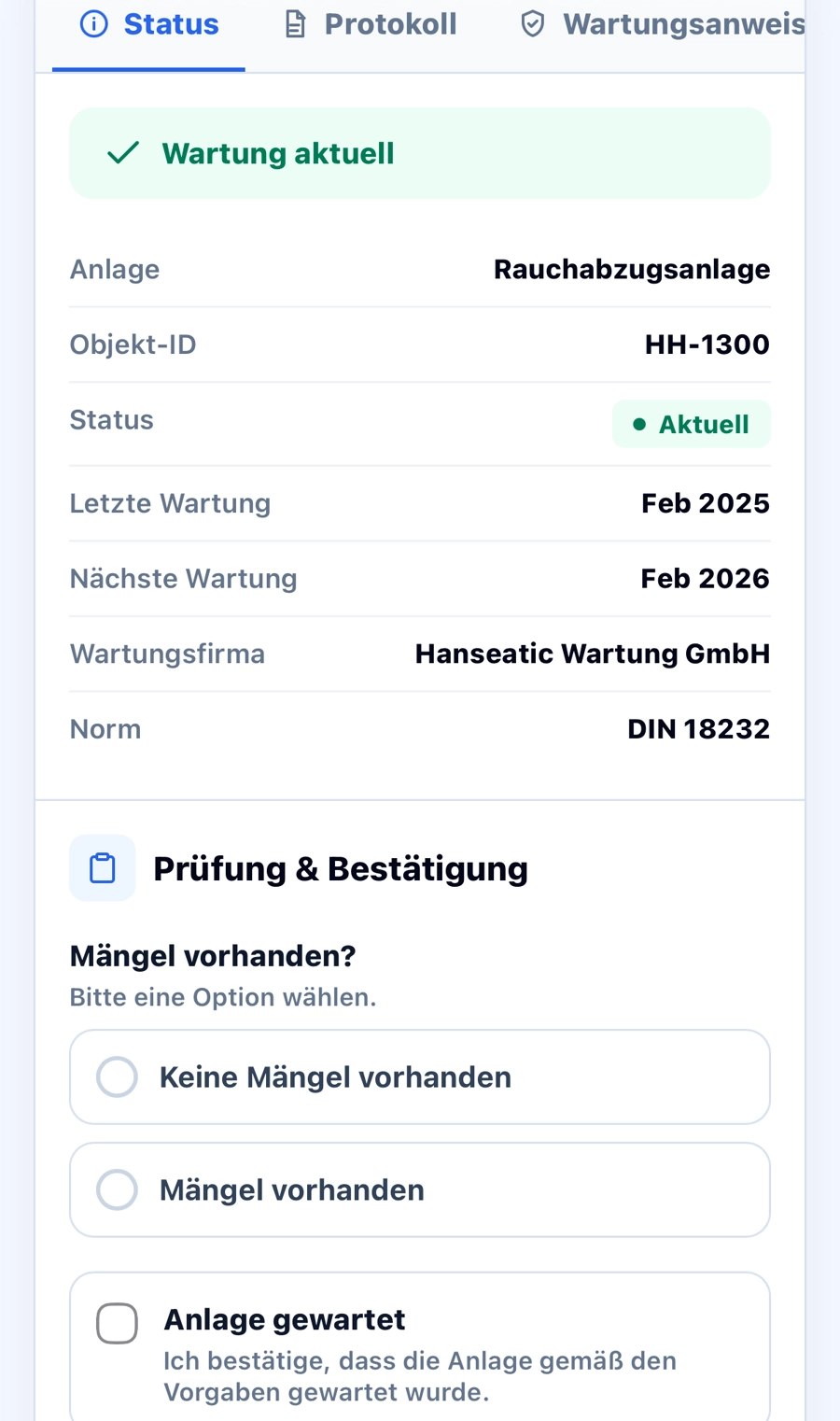
The contractor confirms on site: defects yes or no, system serviced, name of the technician. The new report is uploaded directly.
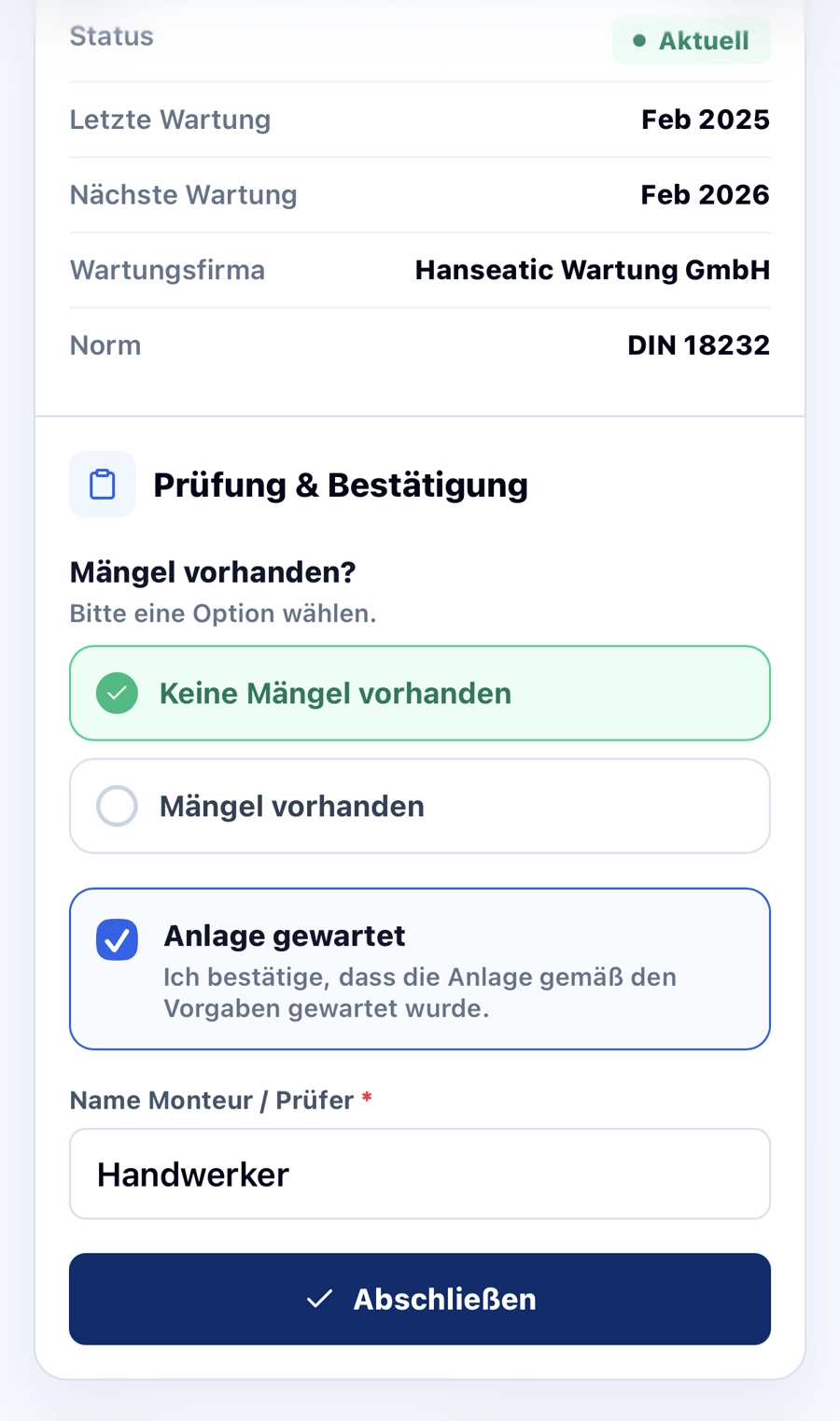
On the desktop you see your entire portfolio, on the phone the contractor sees exactly the one system.
Total systems, upcoming services, overdue items and active QR codes at a glance. Filter by status, system type and project.
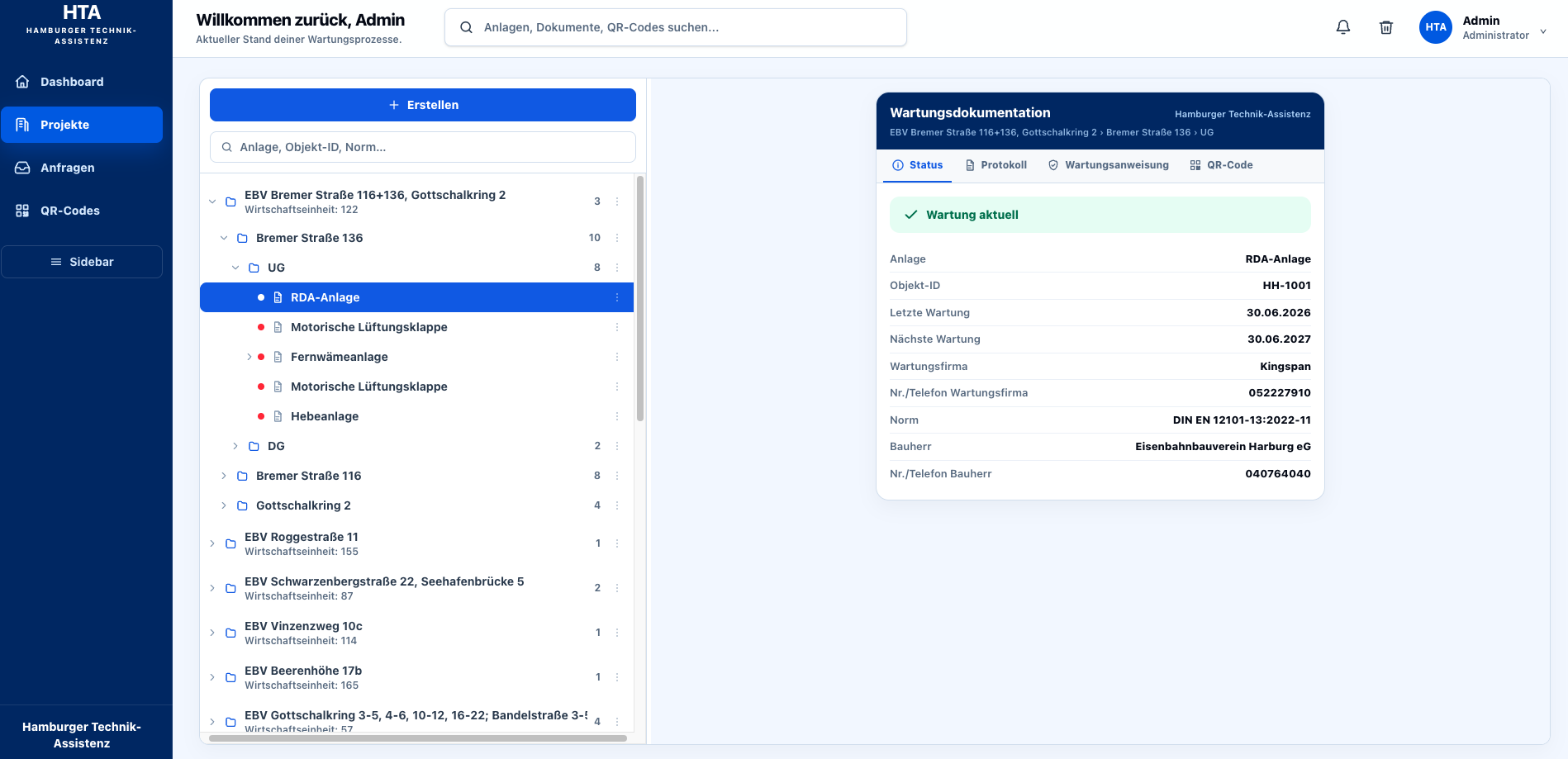
Quarter, building, floor, system. Every system with status, deadlines, contractor and documents, ordered like in OneDrive.
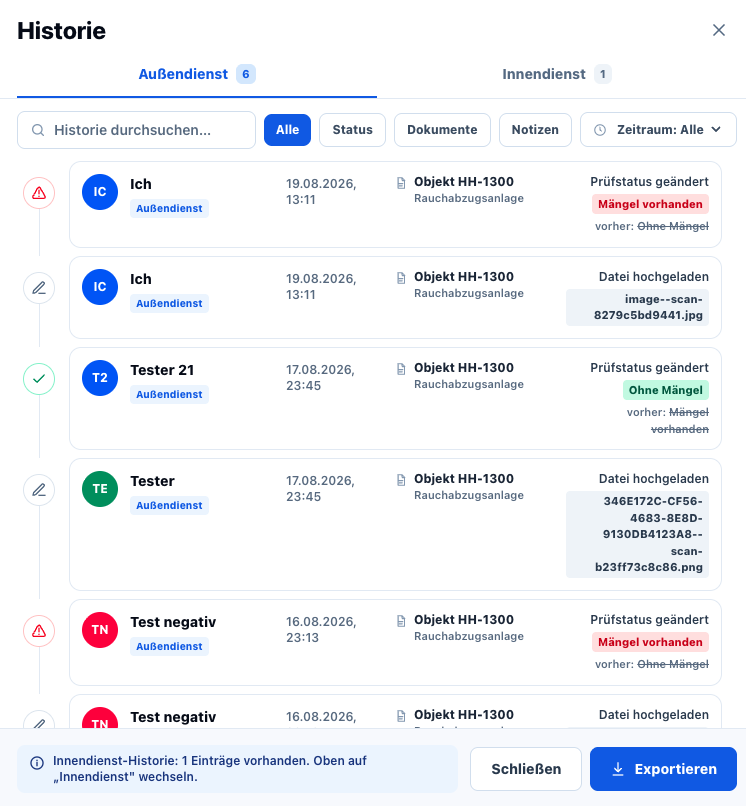
Who changed, uploaded or confirmed what and when. Field and office separated, exportable for audits.
Sign-in with the company's Microsoft account (Entra ID). No extra passwords, protected access, encrypted data.
Hosting and data processing exclusively in the EU.
Retrieve information quickly and easily via QR code. The code stays permanently the same.
Store and manage all maintenance documents centrally. The files stay in your OneDrive.
View and record all data even without an internet connection in the basement.
Encrypted transmission, QR code plus PIN as two factors, sign-in via Microsoft.
Regular backups for maximum data security.
Keep systems, deadlines and reports in view and decide who may see what.
See the last report on site and upload the new one directly. No paper, no queries.
Get access, when needed, to exactly the evidence they require. Complete, dated, traceable.
No. The QR code per system is permanent. Data, documents and deadlines change in the system, the sign on the equipment stays.
In Microsoft OneDrive and additionally in our secured cloud in the EU. Encrypted, with regular backups. As a customer you always see the status of your systems.
With the QR code alone you see nothing. Only with the PIN do the released documents appear, and external parties see only the current report.
Yes. The scan page works offline; entries are saved and transmitted as soon as there is a connection again.
No. The management signs in with the company's existing Microsoft account (Microsoft Entra ID).
We show you the maintenance system on your own equipment: in 30 minutes, online or on site.